All Posts
Creating Infinite Horizontal Scrolling with Pause on Hover in Webflow
Implement the 'Infinite Horizontal Scrolling with Pause on Hover' feature in Webflow using custom CSS code
Published Feb 5, 2023·1 min read
Implementation Steps
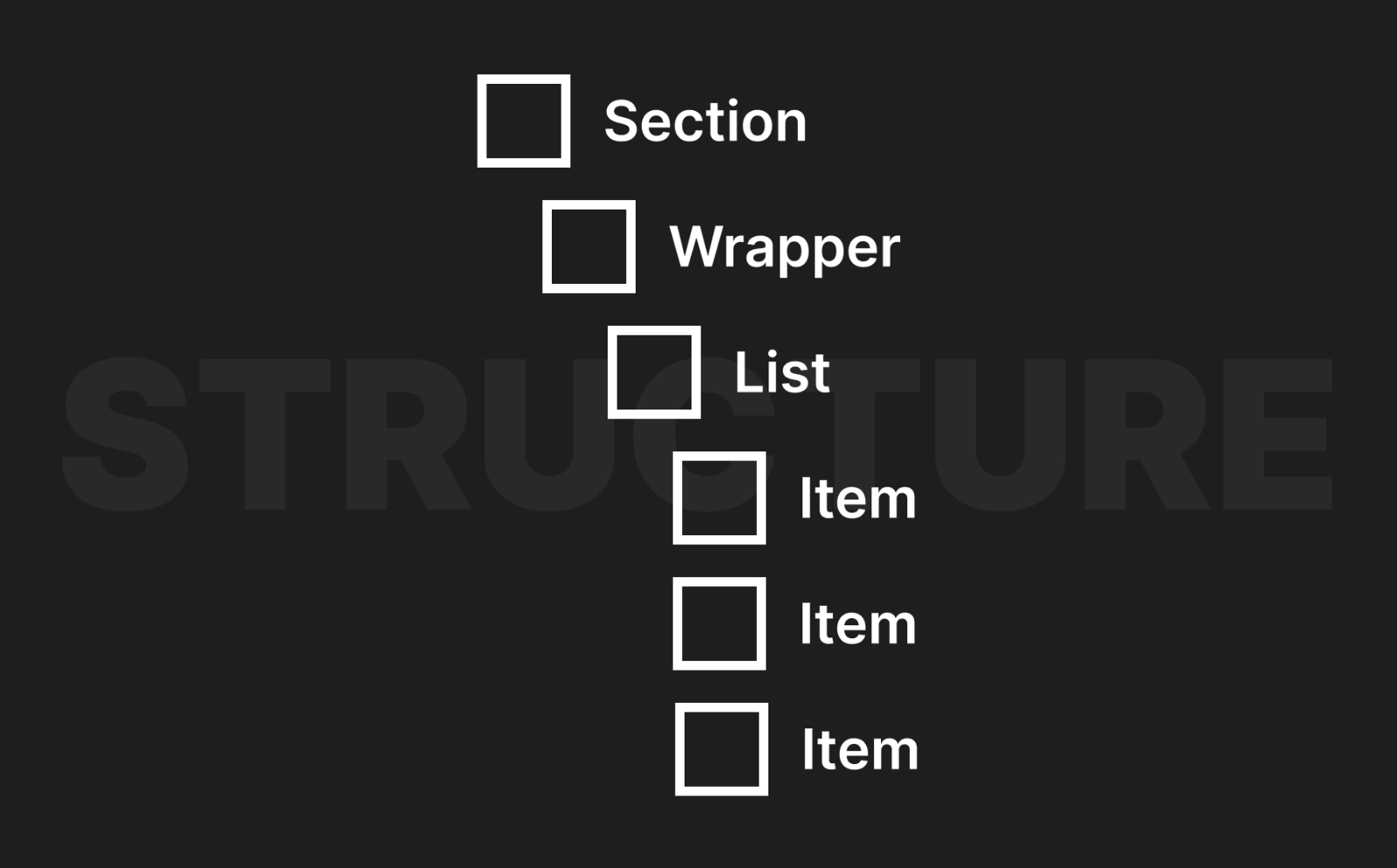
1. Element Structure
Ensure the element structure is as follows:
2. Configuring CSS Variables
Utilize the Webflow Designer to configure the CSS Variables.
- Set
overflow: hiddenandwidth: 100vwon the Section element. - Set the Wrapper element to
display: flexandjustify-content: flex-start. - Set the List element to
flex-shrink: 0. Adjust the layout as per your requirement.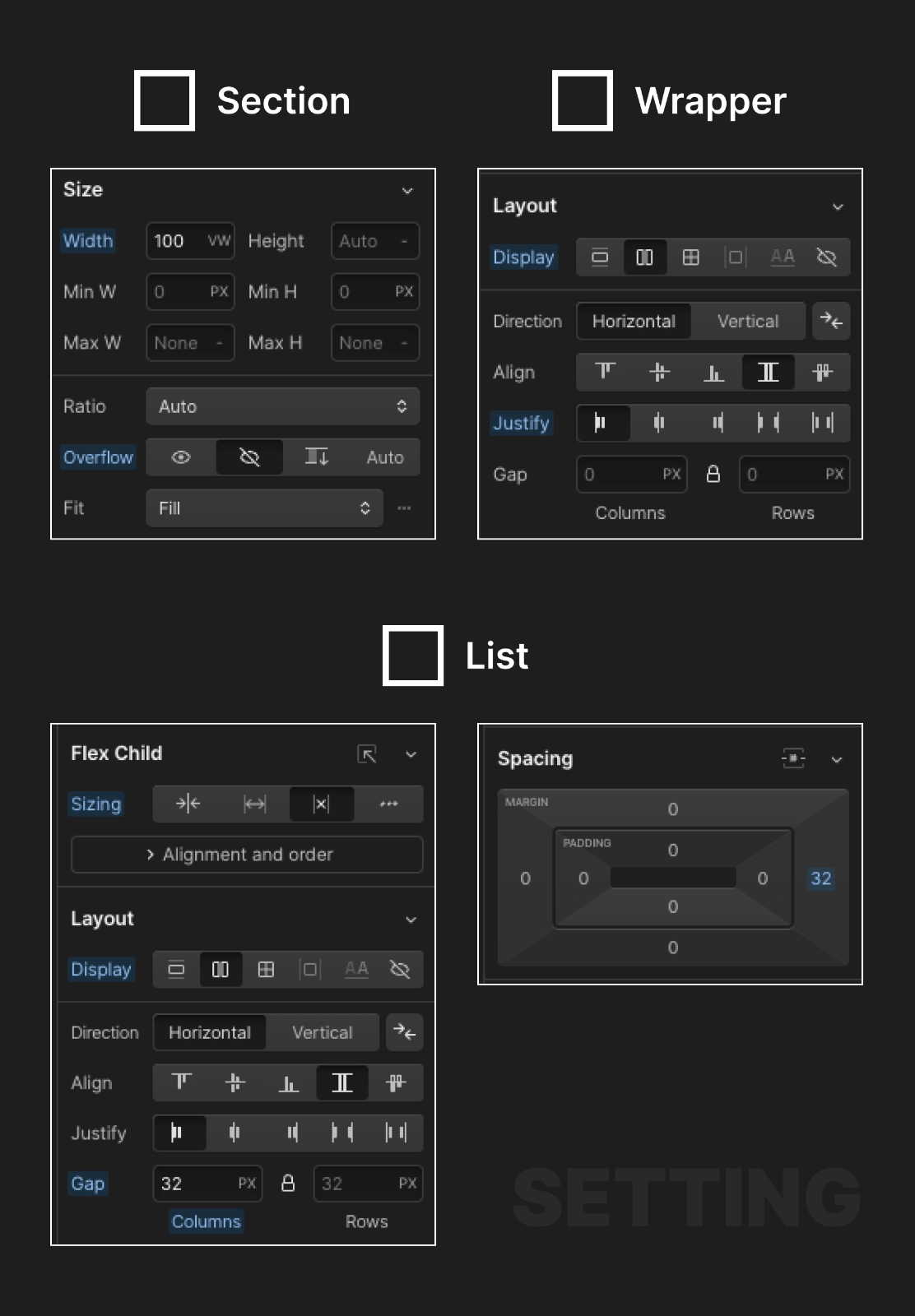
3. Styling the Item Element
4. Adding Custom CSS Code
Implement the infinite horizontal scrolling feature in Webflow by adding the following custom CSS code before the body tag or before the section element:
<style>
  .list {
    will-change: transform;
    animation: list-horizontal-scroll 20s linear infinite;
  }
  @keyframes list-horizontal-scroll {
    from {
      transform: translateX(0);
    }
    to {
      transform: translateX(calc(-100% - 32px));
    }
  }
  .wrapper:hover .list {
    animation-play-state: paused;
  }
</style>
Adjust the class names list, list-horizontal-scroll, and wrapper as per your requirement. Adjust the value 32px in transform: translateX(calc(-100% - 32px)); to match the gap size of your list.
5. Extending the List Element
If your list element is too short to fill the screen, duplicate it multiple times to fill the screen.